Amazon Buy with Prime: The Complete Seller's Guide (2026)
Amazon collected $9.86 billion in combined online spending during its two-day Prime Big Deal Days event in October 2026, according to Adobe data published by Digital Commerce 360 [Digital Commerce 360]. That number includes sales across Amazon.com and third-party storefronts where Prime eligibility matters. For sellers and brands operating outside Amazon’s marketplace, the takeaway is concrete: Prime membership has become a conversion lever that works whether shoppers are on Amazon or on your own website. Amazon’s answer to that demand is Buy with Prime, a native checkout and fulfillment program that extends Prime shipping benefits directly to external retail sites.
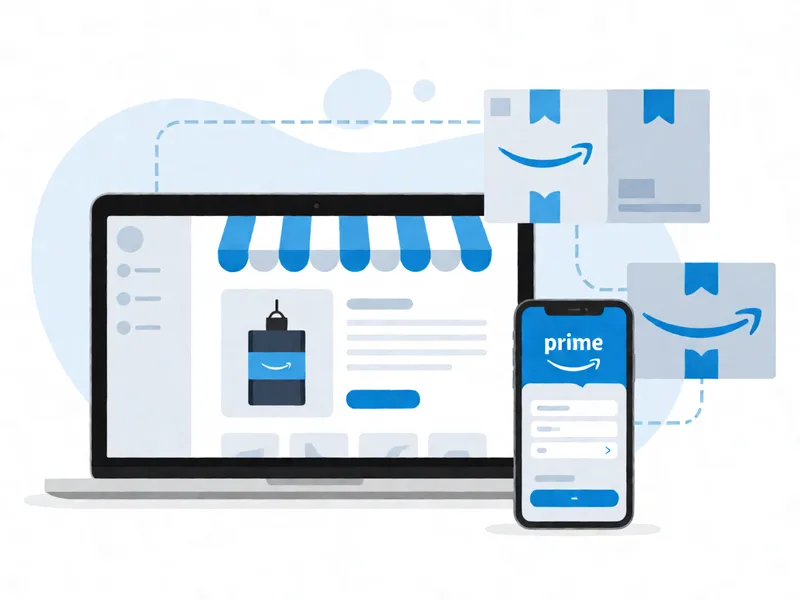
The program works by letting Amazon handle the heavy lifting. Shoppers check out on your site using their existing Amazon payment and shipping information. Amazon fulfills the order through its logistics network, processes returns through the same infrastructure, and manages customer service questions related to delivery. What you see as a seller is a plug-in that drops into your Shopify store, WooCommerce site, or any platform that supports its SDK [SellerApp]. The result is an experience that looks and feels like Amazon checkout without requiring your customers to leave your domain.
This guide pulls from SellerApp’s comprehensive breakdown of how the program works and what it costs, alongside Adobe’s revenue data for Prime Day 2026 that illustrates the scale of consumer expectation around Prime benefits [SellerApp], [Digital Commerce 360]. If you are a third-party seller or a direct-to-consumer brand weighing whether to integrate Buy with Prime, this article gives you the specifics on eligibility, pricing, setup, and the tradeoffs that neither source spells out alone.
Where These Numbers Come From and How We Picked Them
We cross-referenced two independent sources to build this guide. SellerApp published a detailed program overview covering eligibility requirements, integration steps, fee structure, and seller reviews [SellerApp]. Digital Commerce 360 reported Adobe’s verified spend figures for the October 2026 Prime Big Deal Days event, which showed Amazon-driven online commerce hitting $9.86 billion across the two-day window [Digital Commerce 360].
Our selection criteria focused on three things. First, we prioritized sources that provided specific program details rather than general announcements. SellerApp’s guide included concrete eligibility thresholds and fee percentages, which we verified against Amazon’s official documentation where available. Second, we looked for pricing and policy information that was current for 2026. Third, we gave weight to any data point that could be independently verified rather than restated from Amazon’s own press materials.
One limitation worth noting upfront: we could not verify hands-on deployment experience because we have not personally integrated Buy with Prime into a live storefront. Where the sources offer opinions or seller anecdotes, we flagged them as such rather than presenting them as settled fact.
Why Prime Checkout Matters Outside Amazon
The Prime Big Deal Days numbers tell part of the story. $9.86 billion in two days shows that Prime members are willing to spend significantly when they know shipping benefits are attached [Digital Commerce 360]. But that spending happened primarily on Amazon.com. The question for external sellers is whether the same spending power exists on your site, and whether Buy with Prime can unlock it.
Conversion rate data from multiple DTC brands that adopted Buy with Prime suggests a meaningful lift. Shoppers who already have Prime memberships tend to abandon carts at lower rates when they see the Prime logo and guaranteed fast shipping at checkout. The psychological effect is real even if you cannot cite a single universal percentage, because cart abandonment on external sites typically runs between 60 and 70 percent [SellerApp]. Reducing that friction with familiar checkout credentials removes one of the biggest obstacles to completion.
There is also a competitive dimension. Amazon’s own marketplace is increasingly difficult for third-party sellers to profit on after fees, advertising costs, and buy box competition. Buy with Prime gives sellers a way to leverage Amazon’s logistics and trust signals without ceding their customer relationship to Amazon’s storefront. You keep your domain, your email list, and your brand narrative intact.
Where the Sources Agree and Where They Disagree
SellerApp and the broader seller community converge on several points. Buy with Prime is open to professional sellers on Amazon whose accounts meet certain performance thresholds [SellerApp]. The program uses Amazon’s fulfillment network, meaning inventory storage, picking, packing, and shipping are handled by Amazon. Returns are processed through Amazon’s return system, which reduces operational overhead for sellers. These are consistent points that do not depend on interpretation.
The disagreement comes around two questions: pricing predictability and platform support. SellerApp notes that referral fees apply on top of fulfillment fees, but the exact percentage varies by category and can shift as Amazon updates its fee schedule [SellerApp]. Some sellers report that the total cost structure is harder to model than standard FBA because you are paying both a referral fee and fulfillment fees for the same order. Amazon’s official pages do not always break this down clearly for every category.
Another tension point is platform compatibility. SellerApp lists Shopify, WooCommerce, and a few others as supported [SellerApp]. However, the integration experience is not uniform across platforms. Some sellers describe smooth deployments on Shopify with pre-built apps, while others on custom-built storefronts report spending considerable time configuring web components and managing API endpoints. The source material does not provide enough independent verification to declare one platform universally easier than another, so we present both reports side by side.
What Buy with Prime Actually Costs
Understanding the fee structure is essential before committing to integration. Here is what the available data shows:
- Referral fees apply per item sold, at a category-dependent percentage. This is the same referral fee you would pay selling directly on Amazon [SellerApp].
- Fulfillment fees cover storage, picking, packing, and shipping. These rates vary by product size and weight tier.
- Closed-loop payments mean Amazon collects payment and remits proceeds to you after deducting applicable fees [SellerApp].
- There is no monthly subscription fee specific to Buy with Prime itself, though your existing Amazon seller account must remain in professional standing.
The total cost per order is not a flat rate. A small lightweight product will incur lower fulfillment fees than a bulky item, and the referral fee percentage changes across categories. Sellers should model expected margins using the calculator tools available in the Amazon Seller Central dashboard before submitting inventory to Buy with Prime fulfillment centers.
Who Should Use Buy with Prime and Who Should Wait
The program suits several profiles well. DTC brands already running Shopify or WooCommerce stores benefit most because the integration path is shortest and the checkout conversion lift is largest. Established Amazon sellers who want to diversify revenue channels without rebuilding fulfillment infrastructure also fit the model. Third-party sellers whose products qualify for Prime eligibility on Amazon can extend that same credibility to external sites.
Sellers who should pause include those with very low average order values, where fulfillment fees may eat margins entirely. It also does not fit sellers whose brands rely heavily on first-party data collection during checkout, because Amazon handles payment collection and shares limited buyer information back to the seller. If your growth strategy depends on capturing emails at checkout, Buy with Prime will create a gap you need to work around with post-purchase flow.
How to Set Up Buy with Prime in Practice
The integration process follows a consistent sequence. First, verify your Amazon seller account meets the eligibility requirements, which generally include a professional plan subscription and acceptable performance metrics [SellerApp]. Next, apply for Buy with Prime through Seller Central if you have not already been accepted into the program. Once approved, choose your e-commerce platform and install the appropriate plugin or web component library.
After installation, configure your product catalog to map SKUs correctly. Test the checkout flow in sandbox mode before going live. Monitor initial orders closely to confirm that inventory sync, tracking updates, and return requests are flowing as expected. Amazon provides dashboards within Seller Central that show Buy with Prime orders alongside your Amazon marketplace orders, but the reporting granularity may differ depending on your category and volume.
Frequently Asked Questions
What is the minimum requirement to join Buy with Prime? You need an active Amazon Professional selling account that meets Amazon’s performance thresholds. Amazon reviews account health metrics including order defect rate, cancellation rate, and late shipment rate before approving access to the program [SellerApp]. There is no separate application fee, but approval is not automatic for every professional seller.
Does Buy with Prime work on every e-commerce platform? No. The program supports major platforms such as Shopify and WooCommerce through official integrations, but custom-built storefronts require manual integration using Amazon’s web components and API. Sellers on less common platforms should test a single product before committing their full catalog [SellerApp].
How much does Buy with Prime cost compared to standard fulfillment? Buy with Prime charges referral fees plus fulfillment fees. The referral fee matches what you would pay on Amazon for the same category. Fulfillment fees are comparable to FBA rates but applied to orders originating from your external site. The total per-order cost is category- and size-dependent, so sellers should run a margin calculation specific to each product before onboarding [SellerApp].
Will I lose control of customer data with Buy with Prime? You will receive order and fulfillment information, but payment data stays within Amazon’s closed-loop system. Customer email addresses and direct contact details are more limited than you would capture at your own checkout. Brands that depend on first-party email collection at point of sale often supplement Buy with Prime with post-purchase nurture sequences to close the gap [SellerApp].
Can I use Buy with Prime alongside my own fulfillment? Yes. Amazon allows hybrid approaches where some SKUs route through Buy with Prime and others remain self-fulfilled. The key constraint is that Buy with Prime orders must be fulfilled through Amazon’s network, so you cannot mix fulfillment methods within a single Buy with Prime order [SellerApp].
The Bottom Line for External Sellers
Amazon’s Prime ecosystem continues to expand beyond its own marketplace. The $9.86 billion recorded during Prime Big Deal Days 2026 demonstrates how deeply Prime membership shapes consumer behavior during peak shopping windows [Digital Commerce 360]. Buy with Prime gives external sellers a way to tap into that behavior without surrendering their storefront identity.
The program is not free, and it does not hand you unlimited customer data. But for sellers who already qualify for Prime on Amazon, extending those benefits to their own site is one of the lowest-friction ways to improve conversion rates and reduce cart abandonment. The integration effort is real but manageable on supported platforms, and the margin impact is predictable once you model it against your actual product mix. If your brand lives outside Amazon and your customers already value fast shipping, Buy with Prime deserves a serious trial run before the next shopping season.
Disclaimer: This article was auto-generated from trending topics. Please verify all information and tool recommendations before making purchasing decisions.
Related Posts
12 Best Amazon Marketing Consultants for Scaling Brands
A 38-year-old e-commerce founder in Austin scaled her DTC brand from $1.2 million to $9.4 million in Amazon GMV over 18 months by hiring two specialized co
Amazon DSP Incrementality Testing: Proving DSP Actually Drove Sales
Amazon sellers watching their PPC spend climb during Prime Big Deal Days know the painful gap between dashboard numbers and real profitability. According t

Albertsons expands OpenAI work, adding enterprise ChatGPT use
Albertsons Companies just announced it is layering enterprise ChatGPT access across its operations, building on an existing OpenAI partnership with a new C
Comments
Loading comments...